 These days it can be hard to tell if something is or isn’t a scam.
Take this email I recently received.
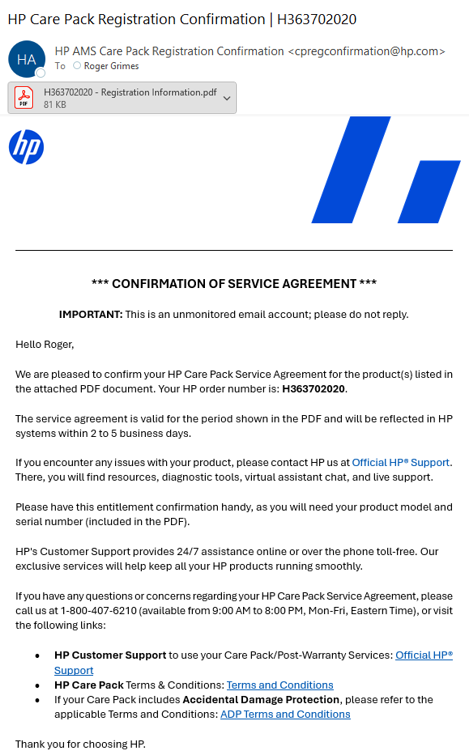
It claims to be from HP. It included a PDF file attachment:
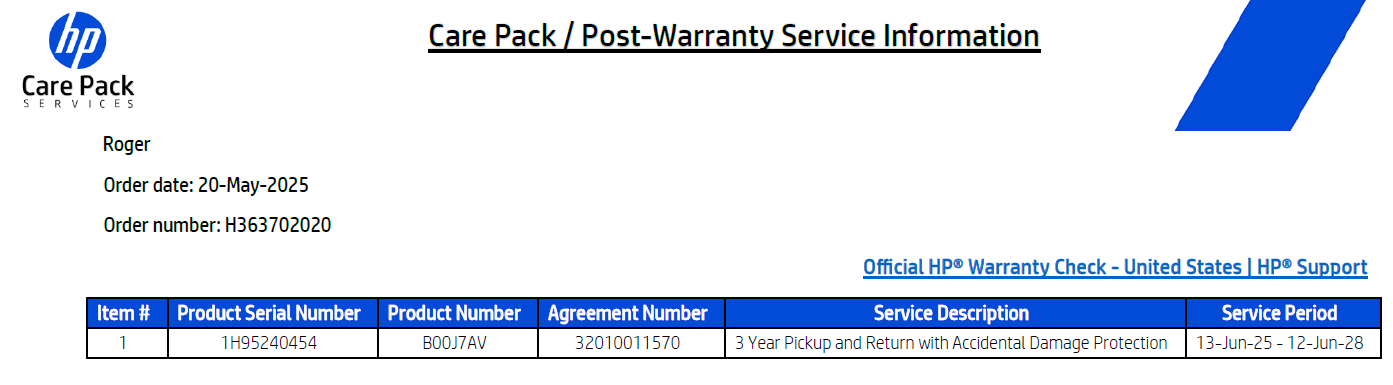
It would be great if it actually told me the product it was referring to beyond some obscure serial number. I checked the serial number. It didn’t match my HP printer sitting next to my desk. All my laptops and older desktop computers are Dell. I didn’t like how it didn’t have my full name. Just Roger. No product name.
The email tells me how to respond. It says to call a phone number (that’s a little phishy-looking). We call these types of phishing emails “callback” phishing.
The phone number was 1-800-407-6210.
I call it. An automated operator answers, identifying itself as some generic “consumer care registration line.” It doesn’t mention HP. I wasn’t asked to register anything. I was being asked to renew a warranty.
It’s very common for “callback” scams to be linked to phone numbers that, when called, are “official-sounding” but at the same time generic. That’s because the fraudulent call centers are usually answering calls from potential victims involved in hundreds of different branding schemes. The call center doesn’t know what scam the victim has been sent, so they answer generically and ask the potential victim what they are calling about. The victim then usually tells them the brand item they are calling about, and the call center starts using the scam script for that brand.
I look up the phone number online and find a lot of sites saying the number is fraudulent:
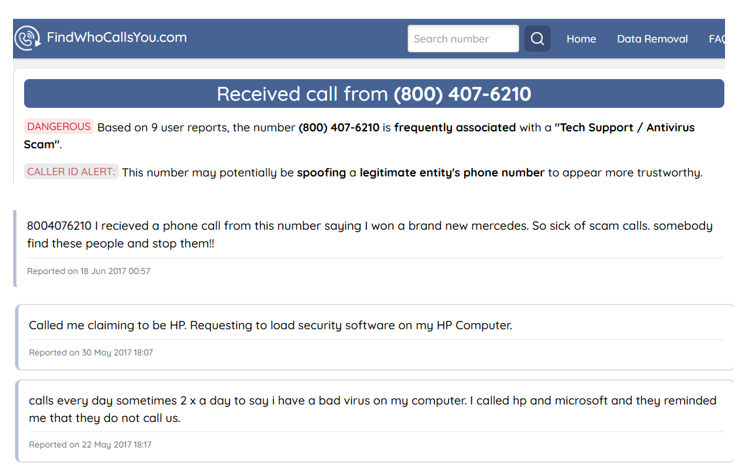
Well, that isn’t a good sign.
But I went back to the email. I do a DMARC check on it:

SPF, DKIM and DMARC checks pass on the domain of hp.com. It really was sent from hp.com. Well, unless the email contains one of those malicious messages sent from legitimate websites (see an example here), it’s really an email from HP.
If you are interested in how to use and read DMARC, SPF and DKIM checks, read this.
Finally, I do an internet search on the involved phone number, forcing the search to use hp.com, and I do find a reference for it on hp.com (encircled in red):
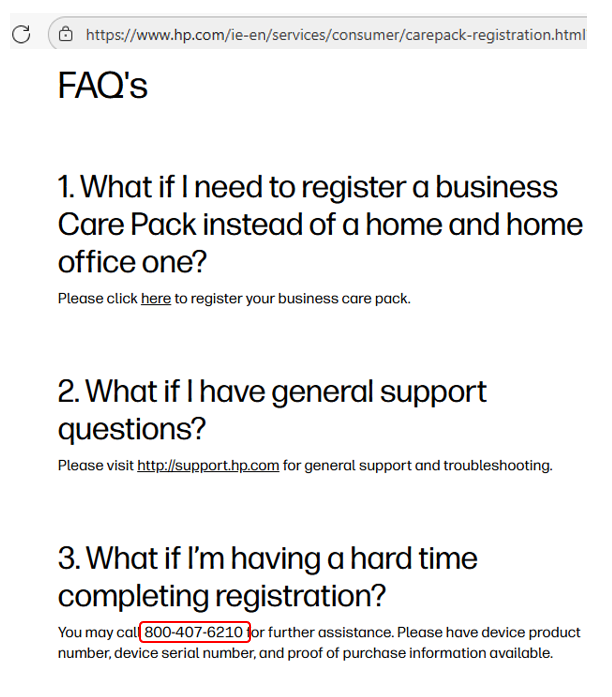
So, for sure, the email message and attachment really was from HP.
And now to add a little more embarrassment on my part, I now remember that I bought my wife an HP laptop, although it had seemed a few months ago…or that’s what I thought. Turns out, it was nearly last year…and so the email HP sent was apparently to extend the default 1-year warranty to three years. Mystery solved.
Still, I think having a healthy level of skepticism about any unexpected message asking you to do something you haven’t done before is a good thing, even if it is a legitimate message. I feel better doing a quick investigation than just blindly deleting or accepting an unexpected message.
Make sure you, your family and your coworkers know how to investigate suspicious messages. It’s better to spend a little time confirming the message was legit than falling victim to a phishing scam.
I wish HP’s warranty renewal emails were more customer-friendly. For example, mentioning the involved product would help. Second, it would help if HP’s customer support properly identified themselves instead of “consumer care registration line.”
It could help HP’s own cause and their revenues if their messages and phone numbers seemed less phishy. I was tempted to delete this message when I first received it. Also, you can’t always trust websites devoted to fraud awareness to be accurate. Several supposedly helpful websites dedicated to warning people about fraud tied to particular phone numbers are wrong. You get what you pay for.
Instead, a little investigation, including looking at the DMARC check results, helped reassure me that the message really was from HP.
Not a scam, just a warranty extension.