An employee sent this recent horror story to me (thanks Rachel). Remember there are three ways of learning. :-D
- Read it in a book, blog (or training session) understand it and apply it successfully in life.
- See other people do it and learn that way by following their example.
- Pee on the electrified fence...
Here is a #3 story.
Someone who had spent 10 years creating a YouTube channel worth 3.5 million subscribers found their channel had been deleted. His PayPal account had been raided. He was locked out of everything, including his smartphone. I'm pretty sure you know where this is going. Everything he had spend 10 years building had been destroyed by a hacker in just a few hours.
Here's the irony of the story
This guy had been changing his passwords regularly, always 20 characters and hard to crack. He never used the same password twice. He even used 2-factor authentication (2FA) to turn his cell phone into a security device. But not only did these steps fail to prevent the hack, using 2FA turned out to be his downfall.
How?
Two-factor (or two-step) authentication requires you have something and know something, meaning you to have both your password and your device. But if the second factor is being texted to you, that doesn’t help if a hacker has spoofed your phone.
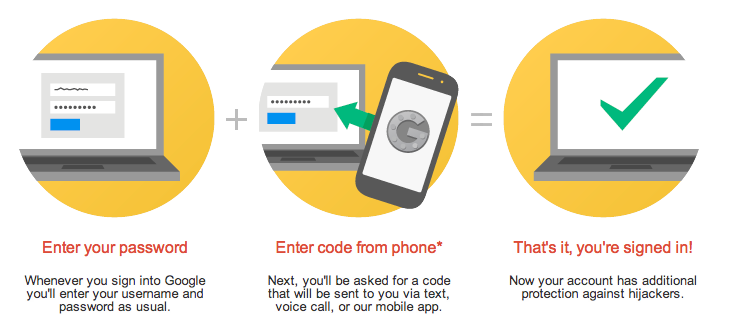
So, what happened?
The hacker used social engineering to trick Verizon customer service to change the victim's phone number to his own burner phone. That happens more often than you think. Once the Verizon rep did that, the hacker had control over the victim's cell phone and used it to recover and change the password to the victim's email address and once he had that… he had everything.
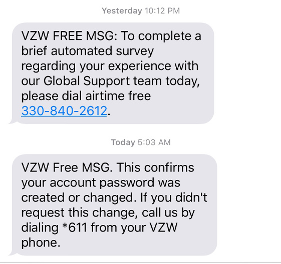
So, what 2 major MFA mistakes were made?
- First, never use a public cell phone number as your MFA device to get codes texted to you. Always only use an Authenticator app like Google Authenticator (heads-up) , 1Password or Microsoft, all of which generate a number on your phone you can type in.
- Never use the same email as the recovery address for any important credentials (for instance both YouTube and PayPal). That is enough to cause irrevocable damage by a hacker.
- Recommended: Call your cell phone provider and set up a PIN or password, ask for a port freeze and ask to lock your account to your current SIM. Not all providers will do all of those things. If yours won’t, consider changing to one that will.
Want to read the whole thing blow-by-blow? Here is the story at Medium. There is an old Dutch expression: " A warned person is worth two". I guess you get the idea...
12+ Ways to Hack Multi-Factor Authentication eBook
 All multi-factor authentication (MFA) mechanisms can be compromised, and in some cases, it's as simple as sending a traditional phishing email. Want to know how to defend against MFA hacks? This eBook covers over a dozen different ways to hack various types of MFA and how to defend against those attacks.
PS: Don't like to click on redirected buttons? Cut & Paste this link in your browser:
https://info.knowbe4.com/12-way-to-hack-two-factor-authentication