A friend posted this on Facebook and it came up on my feed.
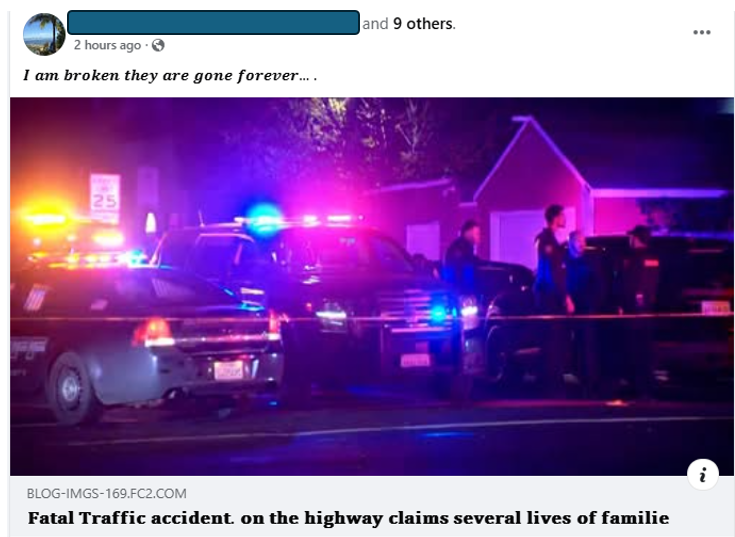
I know this person and I was so sorry to read. How horrific!
I had no idea who was killed in the accident, so I clicked on the news story.
It took me to a site that posted this:
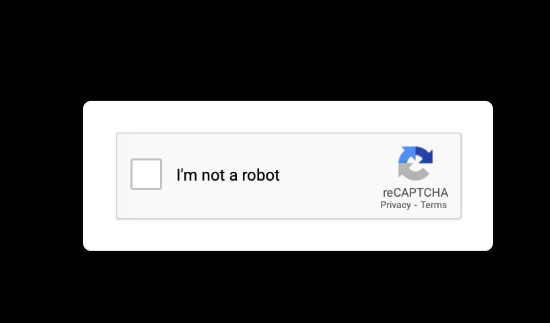
This is a real reCAPTCHA posted to filter out anti-malware and content filtering services. When I saw this I knew that this was a fake news story and that my friend’s Facebook account had been taken over by a scammer.
Despite this, I clicked on the reCAPTCHA and it took me to a website that took me to a website that took me to a third website. It produced this: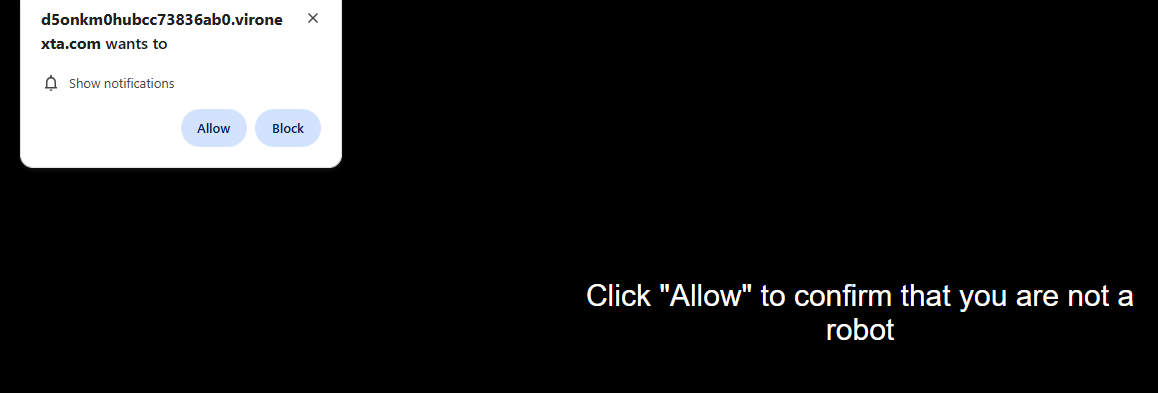
If you click on “Allow” (you shouldn’t), you are giving a malicious site the ability to interact with your system (using “notification” messages) even when you are not on the site and perhaps even not in your browser.
The dialog box is a notification approval dialog box. They always have the same message, and usually the “Allow” and “Block” options (but these can vary). The scam website has the text, “Click Allow” to confirm that you are not a robot.
This is intended to mix up the user between the previous real reCAPTCHA and the new notification approval dialog box. This is 100% indicative of a scam.
The best thing you can do is close the window and notify your Facebook friend that their account is compromised, although oftentimes they already know it. It is also important to report the profile as compromised to Facebook. I posted a comment telling everyone it was a scam and not to click, and usually that stays up, but the scammer could delete the warning message.
I am glad to know no one I know was in this fatal auto accident.