John N Just, Ed.D. - Chief Learning Officer
IT & Technical Staff Need More Training, Not Less
There is a common misconception that IT and technical staff "know about security awareness" and that they should should simply take the same training that all other employees take. However, those with privileged access are often targeted more than a standard user. A recent trend is conducting training for these roles being monthly or quarterly with microcontent rather than the old-fashioned once per year method. With this in mind, you will notice we are highlighting two new pieces of training content for IT staff, bringing the total for these individuals with privileged access to 85 pieces of content in the ModStore. Look for more to be released in the coming months as we keep content fresh for this important group.

|
"Understandable, digestible, and timely!" |
Attacks on IT Help Desks |
|
"Learned new things on how to protect the organization from unauthorized users and hackers!" |
Privileged User Security: Secure Database Administration |

|
Bring Your Own Device (BYOD) |
Deepfake or Reality? |
|
Job Candidate Deepfakes |
A Quick Guide to Secure Communication |
|
Security Snippets - Ransomware Defense |
Security Snippets: Recognizing Ransomware Attacks |
|
Six Steps to Protecting Your Digital Privacy |
|

|
Anti-Fraud Pledge |
Beware of Scams on WhatsApp Document Spot the trap! Learn how to identify suspicious WhatsApp messages and how to protect yourself against these scams. An important printable guide for your workplace. |
|
BYOD: Working Securely with Personal Devices |
“I Trusted Them” Never Stopped a Breach Poster Reinforce Zero Trust principles with this powerful security poster. Continuous verification is the most secure way to protect your workplace data. |
|
One Device, Two Worlds: BYOD |
Pay Attention to Scams on WhatsApp Document Spot the trap! Learn how to identify suspicious WhatsApp messages and to avoid clicking on suspicious links. A crucial, printable guide for your workplace. |
|
Protecting Your Digital Identity: 6 Steps for Privacy by Practice |
Watch Out for Scams on WhatsApp Document Spot the trap! Beware of alarming messages and always verify by contacting your bank through official channels. A crucial, printable guide for your workplace. |

| 個人端末の業務利用:いつでも、どこでも、安全に働くために (BYOD) (Using personal devices for work: Working safely, anytime, anywhere [BYOD]) Training Module Master BYOD best practices for remote and hybrid work. This training provides practical solutions for security, like what to do in the event of device loss or theft. *Available in Japanese only |
参考資料:管理職向け 情報セキュリティ研修 (Reference Material: Information Security Training for Managers) Document Learn specific scam tactics to spot phishing emails and protect your data. Use this essential guide for training and review. *Available in Japanese only |
|
管理職向け 情報セキュリティ研修 (Information Security Training for Managers) |
.jpg?width=852&height=142&name=02.26%20Fresh%20Content%20Update%20Banners%206%20(2).jpg)
NEW! - ModStore AI Search and Recommendations
The KnowBe4 ModStore makes it easier than ever to find, evaluate and use the most relevant training content with AI Search and Recommendations. AI-powered search supports natural language queries and delivers more accurate results based on intent, context and relevance, while tailored recommendations highlight modules aligned to your organization’s industry, region and training history. The streamlined interface simplifies how you explore and add content directly to your library or campaigns, significantly reducing the time spent searching for and managing training.
For KSAT Diamond customers, pre-built Learning Paths curated by KnowBe4’s award-winning content experts help you quickly deploy structured campaigns aligned to specific roles or compliance needs.
To see all the features of the KnowBe4 platform, request your demo today!

NEW! - Microsoft Teams Phish Alert Button (PAB)
The Teams PAB is now available to help your users report suspicious messages with the same one-click ease they use for email. By unifying your incident response, you ensure that a threat reported in a chat receives the same rigor as a phishing email—collapsing the time between a malicious message and a global SOC alert from hours to seconds.
Learn more about the Phish Alert Button with Microsoft Teams.
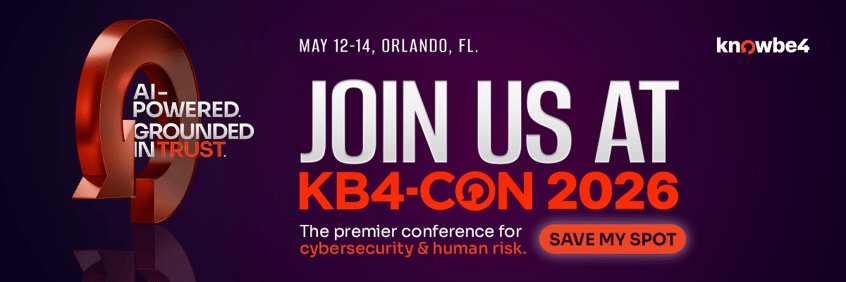
KB4-CON is just around the corner, and we’re gearing up for our biggest event yet! Haven’t secured your spot to be with us this May?
Here are the top 5 reasons to join us in Orlando:
-
Hear from world renowned climber Alex Honnold
-
Look to the future with CEO Bryan Palma
-
See what’s coming on the KnowBe4 roadmap
-
Be the first to see The Inside Man Season 7
-
Soak up the sun in Orlando
KB4-CON brings together customers, partners and security leaders all in one place. Don’t miss the cybersecurity event of the year!